

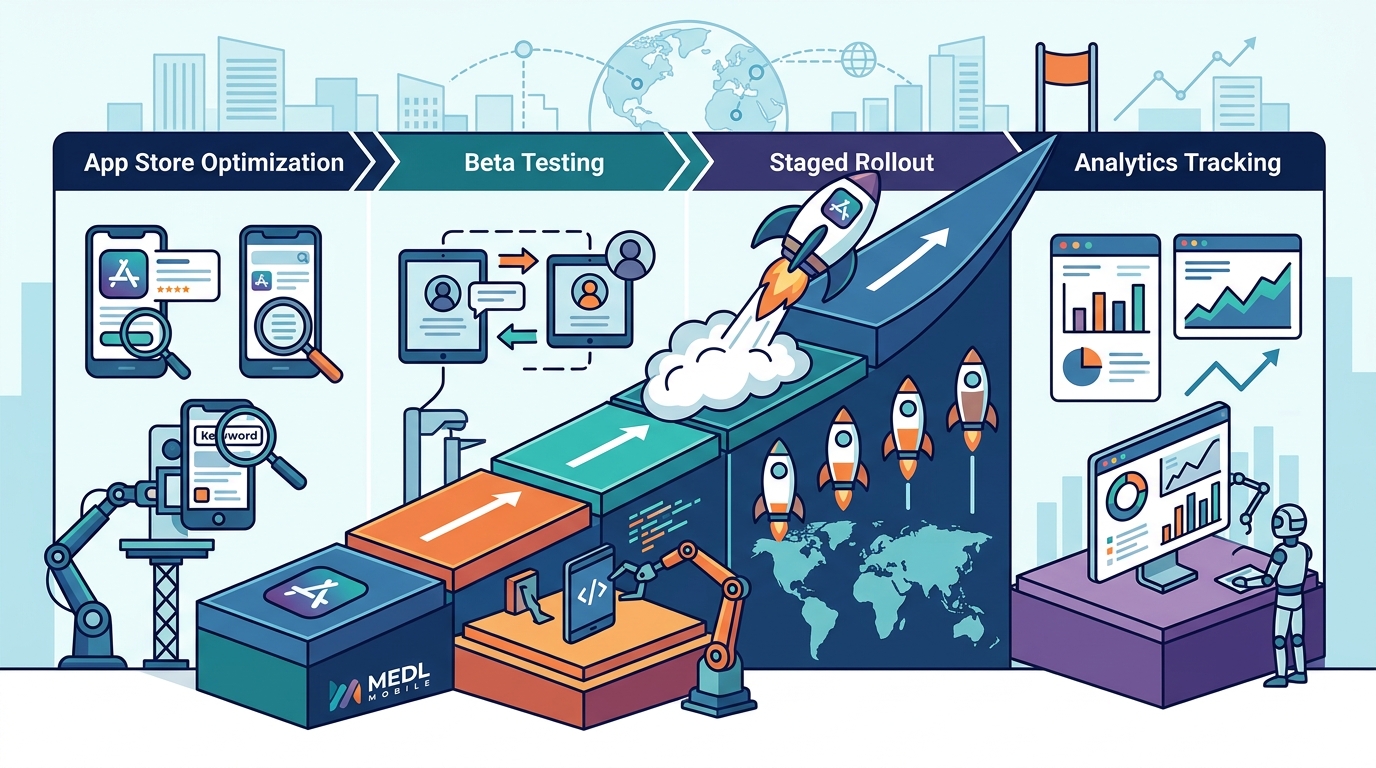
Launching a successful app requires a coordinated strategy across optimization, testing, deployment, and data analysis. MEDL Mobile, a digital product agency with over 15 years of experience, provides the framework for executing these critical phases. This guide covers the essential strategies for app store optimization, beta testing, staged rollouts, and analytics tracking to ensure your product achieves market success.
App Store Optimization
App store optimization is the process of improving an app's visibility and conversion rate within the Apple App Store and Google Play Store. It functions similarly to search engine optimization but is tailored specifically for mobile marketplaces. Success in this area depends on understanding how users discover and evaluate applications before downloading them. For additional details, review the Explore Our Services x2d.
Keyword Research and Metadata
Effective optimization begins with identifying the terms your target audience uses to search for solutions. You must integrate these keywords into your app title, subtitle, and description fields. The title carries the highest weight in search algorithms, so it should be concise and descriptive. Avoid keyword stuffing, as both stores penalize metadata that appears spammy or irrelevant to the user experience. For additional details, review the Careers and Opportunities x2d.
Visual Assets and Conversion
Users make split-second decisions based on visual presentation. Your icon must be distinct and recognizable at small sizes. Screenshots should highlight the core value proposition within the first three images. Video previews can further engage users by demonstrating the app in action. A/B testing these assets is crucial for maximizing the conversion rate from store view to download. For additional details, review the Resources x2d MEDL Mobile.
Review Management
App reviews and ratings significantly influence user trust and search ranking. A proactive approach to managing feedback is essential. Responding to negative reviews professionally can mitigate damage, while encouraging satisfied users to leave positive feedback helps maintain a healthy average rating. Consistent high ratings signal quality to both the algorithm and potential users.
Beta Testing
Beta testing is a phase of software development where the app is released to a limited group of users to identify bugs and gather feedback before a full public launch. This stage is critical for ensuring stability and refining the user experience. It allows developers to validate assumptions and address issues that may not appear in internal testing.
Internal vs. External Testing
Internal testing involves your development team and stakeholders using the app in a controlled environment. External testing expands this to real users outside the organization. Platforms like TestFlight for iOS and Google Play Console for Android facilitate external beta programs. External testers provide diverse perspectives and use cases that internal teams may overlook, offering valuable insights into usability and performance.
Feedback Collection and Iteration
Establishing clear channels for feedback collection is vital during beta testing. Use in-app surveys, email prompts, or dedicated feedback forms to capture user input. Prioritize bugs based on severity and frequency. Rapid iteration cycles allow you to fix critical issues and improve features based on real-world usage data. This iterative process ensures the app is polished and reliable before the official launch.
Staged Rollout Strategy
A staged rollout is a deployment method where the app is released to a small percentage of users initially, then gradually expanded to the full user base. This approach mitigates risk by allowing you to monitor performance and stability in a controlled manner. It is particularly useful for major updates or new app launches where unexpected issues could impact a large audience.
Risk Mitigation and Monitoring
By releasing to 1% or 5% of users first, you can identify critical bugs or performance issues without affecting the entire user base. Monitor crash rates, error logs, and user feedback closely during this phase. If issues arise, you can pause the rollout and deploy fixes before expanding the release. This strategy protects your reputation and ensures a smooth experience for the majority of users.
Gradual Expansion
Once the initial cohort shows stable performance, gradually increase the rollout percentage. Move from 5% to 20%, then 50%, and finally 100%. At each stage, continue monitoring key metrics. This phased approach allows you to scale confidence in the release. It also helps manage server load and infrastructure costs by aligning capacity with actual user growth.
Analytics Tracking
Analytics tracking is the process of collecting and analyzing data on user behavior and app performance. It provides insights into how users interact with your app, where they drop off, and what features drive engagement. Effective analytics are essential for making data-driven decisions to improve the app post-launch.
Key Metrics to Monitor
Focus on metrics that align with your business goals. Common key performance indicators include daily active users, retention rates, session length, and conversion rates. Track user acquisition channels to understand which marketing efforts are most effective. Monitor crash rates and error logs to ensure app stability. These metrics provide a holistic view of app health and user satisfaction.
Behavioral Analysis
Go beyond high-level metrics to understand user journeys. Use funnel analysis to identify where users drop off in critical processes, such as onboarding or checkout. Heatmaps and session recordings can reveal usability issues. Segment users by demographics, device type, or acquisition source to uncover patterns. This granular data helps you tailor features and marketing strategies to specific user groups.
| Strategy | Primary Goal | Key Tools/Platforms | Timing |
|---|---|---|---|
| App Store Optimization | Maximize visibility and conversion | App Store Connect, Google Play Console | Ongoing |
| Beta Testing | Identify bugs and gather feedback | TestFlight, Google Play Console | Pre-Launch |
| Staged Rollout | Mitigate risk and monitor stability | App Store Connect, Google Play Console | Launch Phase |
| Analytics Tracking | Understand user behavior and performance | Firebase, Mixpanel, Amplitude | Post-Launch |
Key Takeaways
- App store optimization is an ongoing process that requires continuous testing of metadata and visual assets.
- Beta testing with external users is essential for identifying real-world issues before launch.
- Staged rollouts reduce risk by allowing you to monitor performance with a small user group first.
- Analytics tracking provides the data needed to make informed decisions about app improvements.
- Focus on key metrics like retention and conversion rates to measure success.
- Responding to user reviews and feedback builds trust and improves app ratings.
- Collaborate with experienced agencies like MEDL Mobile to navigate the complexities of app launch.
Frequently Asked Questions
How long should a beta testing phase last?
The duration of beta testing depends on the complexity of the app. Simple apps may require two to four weeks, while complex applications may need several months. The goal is to achieve a stable build with minimal critical bugs before launch.
What is the ideal rollout percentage for a staged release?
Starting with 1% to 5% of users is common for initial releases. Gradually increase to 20%, 50%, and 100% as you confirm stability. Adjust the pace based on monitoring data and user feedback.
How often should I update my app store metadata?
Review and update your metadata regularly, especially after major feature releases. A/B test different titles, icons, and screenshots to optimize conversion rates. Continuous optimization is key to maintaining visibility.
Which analytics tools are best for mobile apps?
How do I handle negative app reviews?
Can I use the same app for both iOS and Android?
Yes, you can develop a cross-platform app using frameworks like React Native or Flutter. However, ensure that the app adheres to the design guidelines of each platform to provide a native user experience.
What role does AI play in app development?
AI can enhance app functionality through features like personalized recommendations, chatbots, and predictive analytics. Agencies like MEDL Mobile integrate AI to create smarter, more responsive applications that meet user needs.
How important is app performance for user retention?
Performance is critical for retention. Slow load times, crashes, and laggy interfaces lead to user frustration and churn. Optimize your app for speed and stability to keep users engaged.
Conclusion
Launching a successful app on iOS and Android requires a strategic approach to optimization, testing, deployment, and analysis. By focusing on app store optimization, conducting thorough beta testing, implementing staged rollouts, and leveraging analytics, you can maximize your chances of success. MEDL Mobile offers the expertise and experience to guide you through these critical phases. Our team specializes in creating high-quality digital products that meet user needs and achieve business goals. To start your app development journey, for a consultation.