

How to Make Your Existing App Accessible to Users with Disabilities
Accessibility compliance is the process of ensuring digital products are usable by people with disabilities. For existing mobile applications, this involves auditing current code, remediating barriers, and implementing ongoing testing. MEDL Mobile helps teams navigate these technical and design challenges to create inclusive digital experiences.
Understanding the Core Accessibility Standards
Web Content Accessibility Guidelines (WCAG) is the global standard for digital accessibility. It provides a framework for making web content and mobile apps perceivable, operable, understandable, and robust. For mobile applications, developers must also consider platform-specific guidelines from Apple and Google. These guidelines ensure that assistive technologies, such as screen readers, can interact with your app effectively. For additional details, review the Explore Our Services x2d.
The Americans with Disabilities Act (ADA) is a civil rights law that prohibits discrimination against individuals with disabilities. While the ADA primarily focuses on physical spaces, its principles extend to digital environments. The U.S. Department of Justice has issued guidance on the accessibility of web content and mobile apps provided by state and local governments, emphasizing the need for accessible digital services. For private companies, accessibility is often driven by market reach and brand reputation rather than direct legal mandates, though litigation risks are increasing. For additional details, review the Careers and Opportunities x2d.
Understanding these standards is the first step in any remediation effort. It provides a clear checklist of requirements that your development team can use to prioritize fixes. By aligning with WCAG and platform guidelines, you ensure that your app meets the expectations of a diverse user base.
Auditing Your Current Application State
Before making changes, you must understand where your app currently stands. An accessibility audit is a systematic review of your application to identify barriers that prevent users with disabilities from using it. This process involves both automated testing and manual review. Automated tools can detect issues like missing alt text or low color contrast, but they cannot identify all problems. Manual testing with assistive technologies is essential to catch complex interaction issues.
Start by testing your app with screen readers like VoiceOver on iOS and TalkBack on Android. These tools allow you to experience your app as a visually impaired user would. Pay attention to how elements are announced, how focus moves, and whether all interactive elements are reachable. If a user cannot navigate your app using only a screen reader, you have a critical accessibility failure. This type of manual testing reveals issues that automated scanners often miss.
Documenting these findings creates a roadmap for your remediation efforts. Prioritize issues based on their severity and impact on the user. Critical barriers, such as inaccessible forms or navigation menus, should be addressed first. This approach ensures that you deliver the most significant improvements to your users as quickly as possible.
Remediating Code and Design Barriers
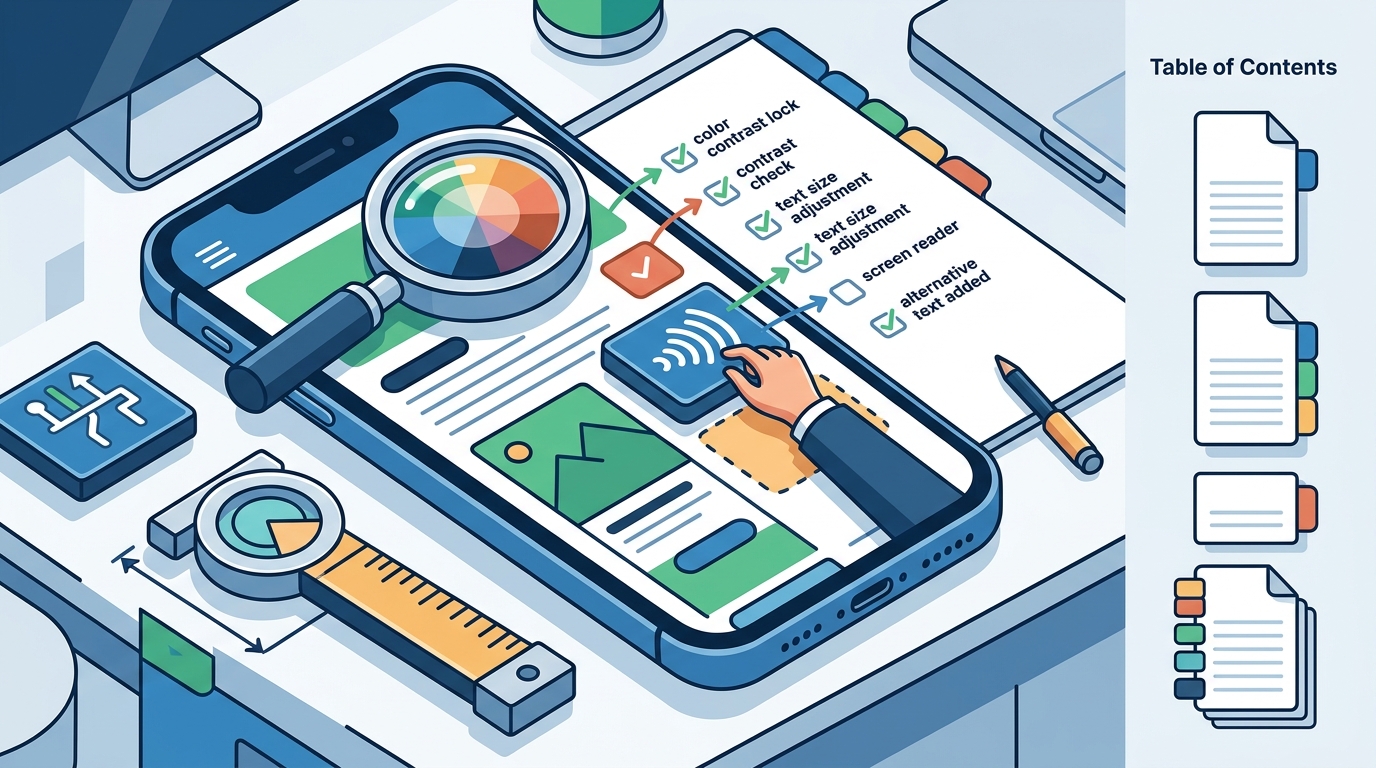
Once you have identified barriers, the next step is to fix them. This involves updating your codebase to include proper accessibility attributes and adjusting your design to meet contrast and sizing requirements. For example, every image that conveys information must have alternative text. Interactive elements must have sufficient touch targets and clear labels. Color contrast ratios must meet minimum thresholds to ensure readability for users with low vision.
These changes require collaboration between developers and designers. Developers must implement the necessary code changes, while designers must ensure that the visual updates do not compromise the overall aesthetic. By working together, you can create an app that is both accessible and visually appealing. This collaborative approach ensures that accessibility is integrated into the product from the ground up.
Testing with Real Users
Technical compliance is important, but it is not enough. You must also test your app with real users who have disabilities. User testing is the process of observing how people with different abilities interact with your product. This feedback helps you identify barriers that you might not have anticipated. It also helps you understand the real-world impact of your changes.
Recruit a diverse group of testers, including people with visual, auditory, motor, and cognitive disabilities. Provide them with specific tasks to complete, such as signing up for an account or making a purchase. Observe how they navigate the app and note any difficulties they encounter. Ask them for feedback on their experience and what changes would make the app easier to use. This direct feedback is invaluable for improving your product.
Iterate on your design based on this feedback. Make changes, re-test, and repeat the process until you have addressed the most critical barriers. This iterative approach ensures that your app is not just technically compliant, but also genuinely usable for people with disabilities. It demonstrates your commitment to creating an inclusive product.
Maintaining Accessibility Over Time
Accessibility is not a one-time task. It is an ongoing process that requires continuous monitoring and maintenance. As you add new features and update your app, you must ensure that these changes do not introduce new barriers. This requires integrating accessibility checks into your development workflow. By making accessibility a standard part of your quality assurance process, you prevent regressions and maintain compliance over time.
Train your development team on accessibility best practices. This ensures that everyone on the team understands the importance of accessibility and knows how to implement it correctly. Regular training sessions and code reviews help reinforce these practices. By building a culture of accessibility within your organization, you create a sustainable approach to inclusive design.
Monitor your app for new accessibility issues as they arise. Use automated tools to scan your app regularly and review the results. This proactive approach helps you catch issues before they impact your users. By maintaining a high standard of accessibility, you protect your brand and ensure that your app remains usable for everyone.
Key Takeaways
- WCAG is the primary standard for digital accessibility, providing a clear framework for making apps usable by people with disabilities.
- Automated tools are useful for detecting basic issues, but manual testing with assistive technologies is essential for a comprehensive audit.
- Remediation involves both code changes, such as adding alternative text, and design updates, such as improving color contrast.
- Testing with real users who have disabilities provides valuable feedback that helps you identify and fix unexpected barriers.
- Accessibility is an ongoing process that requires continuous monitoring and integration into your development workflow.
- Building a culture of accessibility within your team ensures that inclusive design is a standard part of your product development.
Frequently Asked Questions
What is the most common accessibility barrier in mobile apps?
One of the most common barriers is the lack of alternative text for images. Without alt text, screen readers cannot convey the meaning of images to visually impaired users. This makes it difficult for them to understand the content and navigate the app effectively.
How long does it take to make an existing app accessible?
The time required depends on the size and complexity of your app. A small app with few screens might take a few weeks, while a large, complex app could take several months. The key is to prioritize critical barriers and address them first.
Do I need to comply with the ADA if I am a private company?
The ADA primarily applies to state and local governments, but private companies can still face legal risks if their apps are inaccessible. Many private companies choose to comply with accessibility standards to avoid litigation and to reach a wider audience.
What is the difference between accessibility and usability?
Accessibility is about ensuring that people with disabilities can use your product, while usability is about how easy and efficient it is for all users. Good accessibility often leads to better usability for everyone, but they are distinct concepts.
How can I test my app for accessibility?
You can test your app using a combination of automated tools and manual testing. Automated tools can detect basic issues, while manual testing with assistive technologies like screen readers helps you identify more complex barriers. Testing with real users is also highly recommended.
What are some quick wins for improving app accessibility?
Some quick wins include adding alternative text to images, improving color contrast, and ensuring that all interactive elements have clear labels. These changes are relatively easy to implement and can have a significant impact on the user experience.
Conclusion
Making your existing app accessible is a critical step in creating an inclusive digital product. By understanding the standards, auditing your current state, remediating barriers, and testing with real users, you can ensure that your app is usable by everyone. MEDL Mobile has extensive experience in helping clients navigate these challenges and build accessible, high-quality digital products. To start your accessibility journey, for a consultation.