

Streamlining Internal Operations with Custom Web Applications
Custom web application development streamlines internal operations by replacing fragmented tools with a unified, automated system tailored to your specific business logic. This guide covers how to automate processes, integrate workflows, centralize data, build role-based dashboards, and deploy an MVP to optimize your internal efficiency. For additional details, review the MEDL Mobile AI App.
Process Automation
Process automation is the use of software to execute repetitive tasks without manual intervention. In internal operations, this typically involves moving data between systems, triggering notifications, or generating reports. Manual entry is a primary source of operational friction and human error. By automating these steps, teams can focus on high-value strategic work rather than administrative busywork.
Identifying Automation Candidates
Building the Automation Engine
When building a custom solution, the automation engine should be modular. This allows you to add new automated triggers over time without rewriting the entire system. For example, a sales team might need an automated lead qualification process, while the finance team requires automated expense approvals. A well-architected custom app supports these distinct modules within a single platform.
Workflow Integration
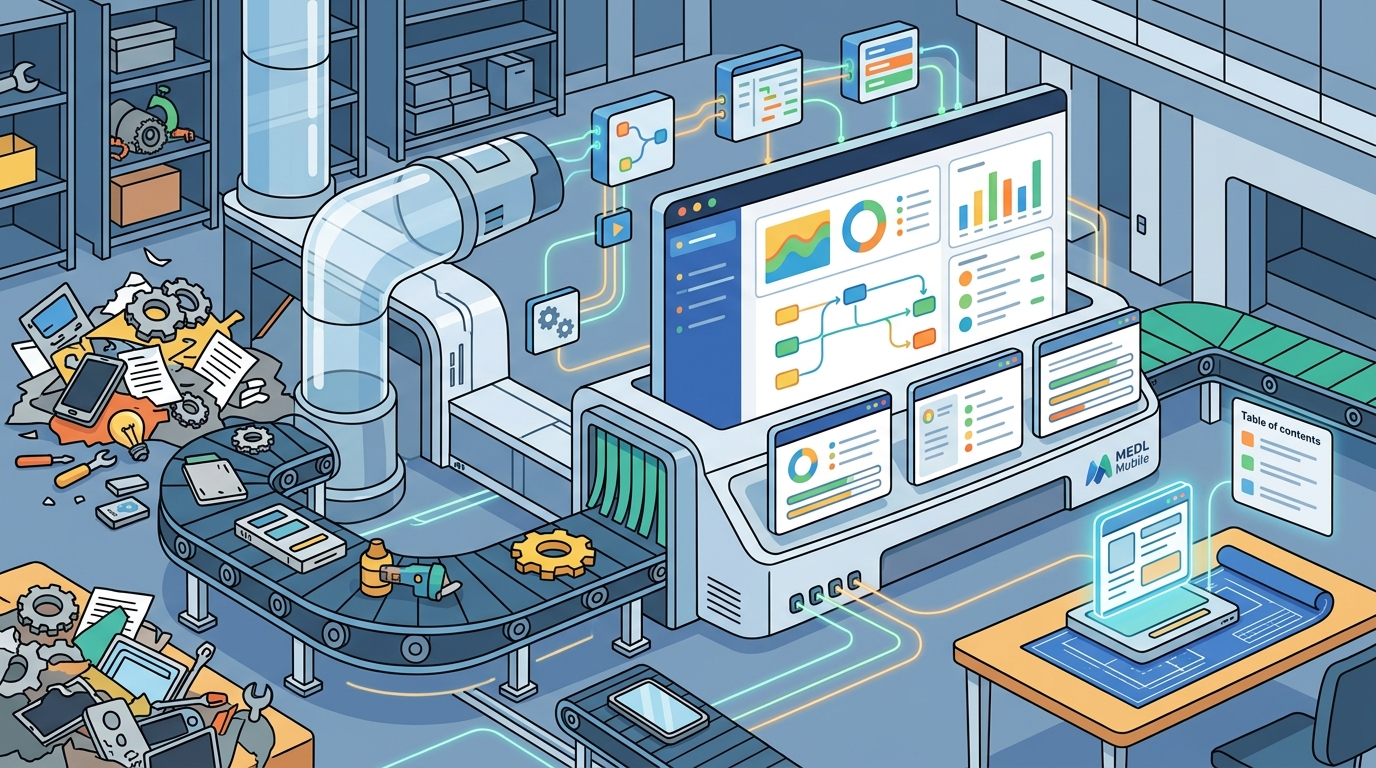
Workflow integration is the connection of disparate software tools into a cohesive operational ecosystem. Most organizations rely on a stack of third-party applications, such as CRM, HR, and accounting software. These tools often operate in silos, creating data gaps and requiring manual synchronization. A custom web application acts as the central hub that connects these systems via APIs.
API-First Architecture
Modern custom development relies on an API-first approach. This ensures that your internal application can communicate seamlessly with existing enterprise tools. By establishing robust API connections, you eliminate the need for manual data transfer. This reduces the risk of data inconsistency and ensures that all departments are working with the same real-time information.
Reducing Tool Fatigue
Tool fatigue occurs when employees must switch between multiple applications to complete a single task. A custom web application consolidates these interactions into a single interface. This reduces cognitive load and improves user adoption rates. When employees can access all necessary tools and data in one place, productivity increases significantly.
Centralized Data Access
Centralized data access is the consolidation of information from various sources into a single, secure repository. Data silos are a major barrier to operational efficiency. When data is scattered across spreadsheets, email threads, and isolated software tools, decision-making becomes slow and inaccurate. A custom web application provides a single source of truth for your organization.
Breaking Down Silos
By centralizing data, you break down departmental silos. Marketing, sales, and operations can all view the same customer or project data. This transparency fosters collaboration and alignment. It also simplifies reporting, as data is already structured and accessible in one location.
Security and Compliance
Role Based Dashboards
Role based dashboards are customized views of data tailored to the specific needs of different user groups. A one-size-fits-all interface is ineffective for diverse teams. Executives need high-level KPIs, while operational staff need detailed task lists. A custom web application allows you to build distinct dashboards for each role, ensuring that users see only the information relevant to their responsibilities.
Customizing the User Experience
Designing role-based dashboards requires a deep understanding of user workflows. For example, a project manager might need a dashboard showing task progress and resource allocation. A finance manager might need a dashboard showing budget utilization and cash flow. By tailoring the interface, you reduce clutter and improve decision-making speed.
Real-Time Insights
Role-based dashboards should provide real-time insights. This allows users to monitor performance and identify issues as they arise. For instance, an operations manager can see a spike in support tickets and immediately allocate resources to address it. Real-time data empowers proactive management rather than reactive troubleshooting.
MVP Deployment Strategy
An MVP deployment strategy is the approach of building a minimum viable product to test core functionality before full-scale development. Building a comprehensive custom web application is a significant investment. An MVP allows you to validate your assumptions and gather user feedback early. This reduces risk and ensures that the final product meets actual business needs.
Defining the Core Value
Start by identifying the single most critical problem your application must solve. Focus on building a solution for that specific problem. For example, if your goal is to streamline internal operations, your MVP might focus on automating one key workflow. This allows you to measure the impact of automation before expanding to other areas.
Iterative Development
After launching the MVP, gather feedback from users. Use this feedback to refine the application and add new features. Iterative development ensures that the application evolves in line with business needs. It also allows you to manage costs more effectively by spreading development over time. This approach is particularly effective for organizations with changing operational requirements.
Comparison of Internal Tooling Approaches
| Approach | Customization | Integration | Cost Structure | Best For |
|---|---|---|---|---|
| Off-the-Shelf SaaS | Low | Pre-built APIs | Recurring Subscription | Standardized Processes |
| Low-Code Platforms | Medium | Limited Connectors | Subscription + Licensing | Simple Workflows |
| Custom Web Application | High | Full API Access | Upfront Development | Complex, Unique Operations |
Key Takeaways
- Process automation eliminates manual errors and frees up employee time for strategic work.
- Workflow integration connects disparate tools into a cohesive ecosystem, reducing tool fatigue.
- Centralized data access breaks down silos and provides a single source of truth.
- Role-based dashboards ensure that users see only the information relevant to their responsibilities.
- An MVP deployment strategy reduces risk by validating core functionality before full-scale development.
- Custom web applications offer higher customization and integration capabilities than off-the-shelf tools.
- Iterative development allows the application to evolve with changing business needs.
- Security and compliance are easier to manage when data is centralized in a custom application.
Frequently Asked Questions
What is the primary benefit of custom web application development for internal operations?
The primary benefit is the ability to tailor the software to your specific business logic, eliminating the friction caused by generic tools that do not fit your unique workflows.
How long does it take to build a custom internal web application?
Timeline varies based on complexity. An MVP can be deployed in weeks, while a comprehensive platform may take several months. Iterative development allows for phased delivery.
Can a custom application integrate with our existing software stack?
Yes. Custom applications are built with API-first architecture, allowing them to connect with most modern enterprise tools, including CRM, HR, and accounting software.
What is the difference between a low-code platform and a custom web application?
How do role-based dashboards improve productivity?
They reduce cognitive load by showing users only the data relevant to their role. This minimizes clutter and allows for faster decision-making.
Is it more cost-effective to build a custom app or buy off-the-shelf software?
Off-the-shelf software is cheaper upfront but may not fit your needs. Custom apps have higher upfront costs but can be more cost-effective long-term by eliminating workarounds and inefficiencies.
How do we ensure data security in a custom web application?
Conclusion
Streamlining internal operations with custom web application development is a strategic move that yields long-term efficiency gains. By automating processes, integrating workflows, centralizing data, and deploying an MVP, you can build a system that truly fits your business. MEDL Mobile specializes in building these tailored digital solutions, helping organizations in Southern California and beyond achieve operational excellence. To discuss your internal operations needs, today.