

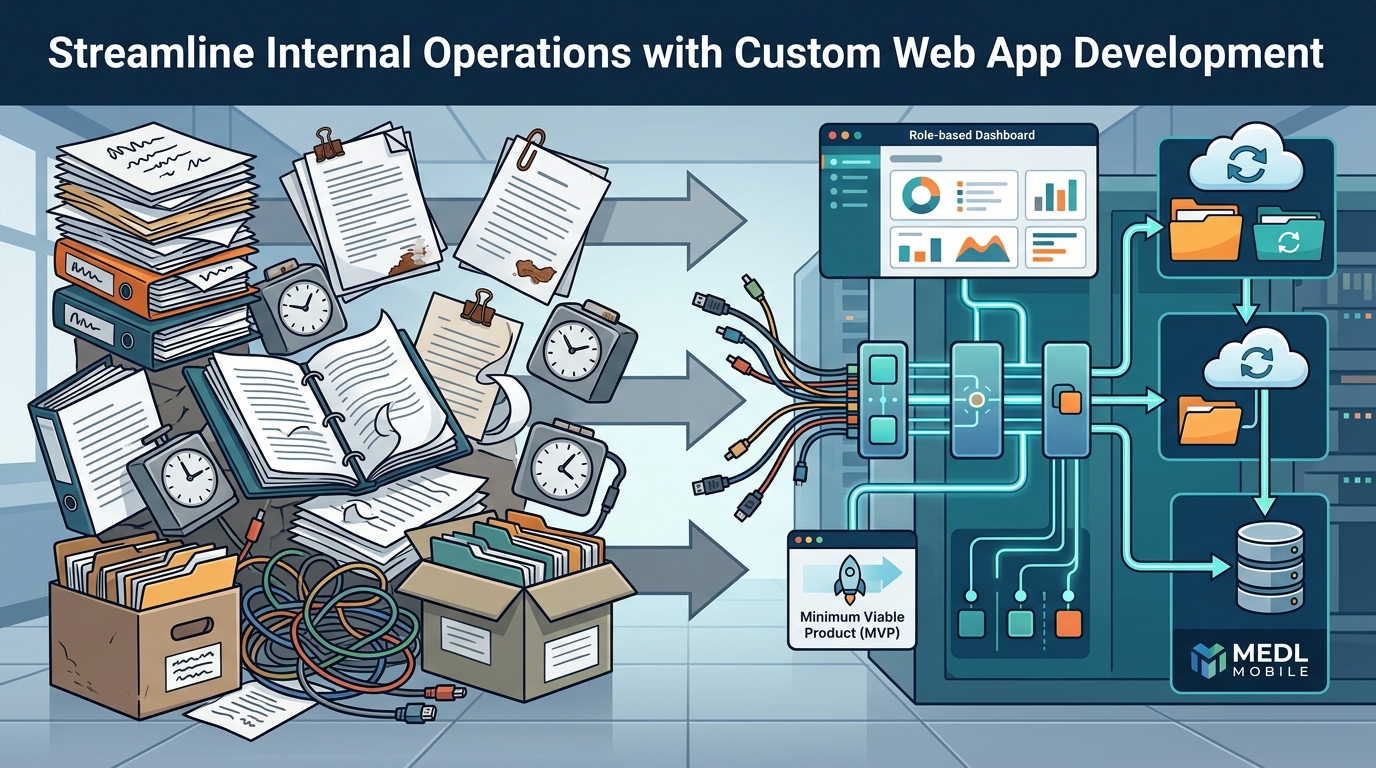
Streamlining internal operations with custom web application development involves building tailored software that automates repetitive tasks, integrates fragmented tools, and centralizes data for real-time decision-making. This guide covers five critical strategies: process automation, workflow integration, centralized data access, role-based dashboards, and MVP deployment. We will explore how a digital product agency like MEDL Mobile helps organizations move from manual chaos to structured digital efficiency.
Process Automation
Process automation is the use of technology to execute business tasks with minimal human intervention. In internal operations, this typically targets high-volume, rule-based activities such as data entry, invoice processing, and status updates. Manual execution of these tasks creates bottlenecks and introduces human error, which erodes trust in operational data. Custom web applications allow you to define specific triggers and actions that run in the background, ensuring consistency and speed. For additional details, review the Explore Our Services MEDL.
Identifying Automation Candidates
Not every process should be automated immediately. You must identify tasks that are repetitive, time-consuming, and prone to error. Look for workflows where employees spend more time copying data between systems than analyzing it. These are your highest-impact automation targets. A custom solution can map these workflows into automated sequences that run 24/7 without fatigue. For additional details, review the Careers and Opportunities MEDL.
Building the Automation Logic
When building custom automation, you define the logic that governs the workflow. This includes setting conditions for when a task starts and what happens when it completes. For example, when a new client record is created, the system can automatically generate a contract, send a welcome email, and assign a task to the onboarding team. This level of granularity is often difficult to achieve with off-the-shelf tools, which may force you into rigid templates. For additional details, review the Beyond the Surface Deep.
Workflow Integration
Workflow integration is the connection of disparate software systems into a unified operational environment. Most organizations rely on a patchwork of tools for communication, project management, finance, and customer relationship management. This fragmentation creates data silos where information is trapped in one system and inaccessible to another. Custom web applications act as a central hub that connects these tools via APIs, ensuring data flows seamlessly between them.
The Cost of Disconnected Systems
Disconnected systems force employees to manually transfer data, leading to duplication of effort and version control issues. If a sales team updates a client status in one tool but the finance team is working from a spreadsheet in another, decisions are made on outdated information. Integration eliminates this friction by ensuring that every system reflects the same source of truth in real-time.
API-First Architecture
Modern custom development relies on an API-first approach to integration. This means building your internal application with a robust Application Programming Interface (API) that can communicate with external services. Whether you need to sync with a CRM, a payment gateway, or an HR platform, an API-first architecture ensures that your core application remains flexible and scalable as your tech stack evolves.
Centralized Data Access
Centralized data access is the consolidation of operational data into a single, secure repository that is accessible to authorized users. When data is scattered across local files, spreadsheets, and individual applications, it becomes difficult to retrieve, analyze, or secure. A custom web application provides a unified interface where all relevant data is stored, indexed, and searchable.
Breaking Down Data Silos
Data silos occur when departments hoard information within their own tools, preventing cross-functional collaboration. Centralization breaks these silos by creating a shared data layer. This allows marketing to see sales performance, finance to track operational costs, and leadership to view a holistic view of the business. The result is faster decision-making and improved alignment across teams.
Security and Compliance
Centralizing data also simplifies security management. Instead of securing dozens of individual tools, you focus on securing one central platform. This makes it easier to implement encryption, audit logs, and compliance controls required by regulations such as GDPR or HIPAA. A custom solution allows you to tailor security protocols to your specific industry requirements.
Role Based Dashboards
Role-based dashboards are customized user interfaces that display specific metrics and data relevant to a user's job function. A one-size-fits-all interface overwhelms users with irrelevant information, leading to cognitive load and slower task completion. By tailoring the dashboard to the user's role, you ensure that each employee sees only the data they need to perform their job effectively.
Designing for User Context
Effective dashboard design starts with understanding the user's context. A project manager needs to see task progress and resource allocation, while a finance manager needs to see budget burn rates and cash flow. Custom development allows you to build distinct views for each role, reducing clutter and improving focus. This personalization increases user adoption and satisfaction with the new system.
Real-Time Visualizations
MVP Deployment Strategy
An MVP (Minimum Viable Product) deployment strategy is the practice of launching a simplified version of a custom application to validate core functionality before building out the full feature set. This approach reduces risk and accelerates time-to-value. Instead of spending months building a perfect system, you launch a functional core that solves the most critical operational pain points.
Defining the Core Value
To define your MVP, identify the single most impactful workflow you want to improve. Focus on automating that specific process and integrating it with your existing tools. Resist the urge to add every possible feature in the first release. A focused MVP allows you to gather user feedback and make adjustments before investing in additional development. This iterative approach ensures that the final product aligns with actual user needs.
Iterative Development Cycles
After launching the MVP, you enter a cycle of feedback and refinement. You collect data on how users interact with the system, identify friction points, and prioritize new features based on impact. This agile methodology allows you to evolve the application over time, adding complexity only when it is justified by user demand. It keeps the project manageable and the budget predictable.
Comparison of Development Approaches
| Approach | Custom Web App | Off-the-Shelf SaaS |
|---|---|---|
| Flexibility | High; tailored to specific workflows | Low; limited to vendor features |
| Integration | Deep API integration with existing tools | Basic integrations; often limited |
| Cost Structure | Higher initial investment; lower long-term per-user cost | Lower initial cost; recurring subscription fees |
| Data Ownership | Full ownership of data and code | Data hosted by vendor; limited portability |
| Time to Market | Variable; depends on scope | Immediate; ready to use |
Key Takeaways
- Process automation reduces human error and frees up employee time for high-value tasks.
- Workflow integration connects disparate tools, eliminating data silos and manual data entry.
- Centralized data access provides a single source of truth, improving security and decision-making.
- Role-based dashboards reduce cognitive load by showing users only the data relevant to their job.
- An MVP strategy allows you to launch quickly, validate assumptions, and iterate based on feedback.
- Custom development offers greater flexibility and data ownership than off-the-shelf solutions.
- API-first architecture ensures your application remains scalable and adaptable as your tech stack evolves.
- Partnering with an experienced agency like MEDL Mobile can accelerate development and ensure best practices.
Frequently Asked Questions
How long does it take to build a custom internal web application?
The timeline depends on the scope and complexity of the project. An MVP can be launched in a few weeks to a few months, while a full-featured enterprise application may take six months or more. Working with an experienced team helps streamline the process and avoid common pitfalls.
Is custom development more expensive than using SaaS tools?
Custom development typically has a higher initial cost than SaaS subscriptions. However, it can be more cost-effective in the long run, especially for large teams, as you avoid per-user licensing fees and gain full ownership of the software. The total cost of ownership should be evaluated over a 3-5 year period.
Can a custom app integrate with our existing software?
Yes, custom applications are built with API-first architecture, allowing them to integrate with most modern software tools. If a tool has an API, your custom app can connect to it. For legacy systems without APIs, custom middleware can be developed to bridge the gap.
Who owns the code and data in a custom application?
You own the code and data. This is a significant advantage over SaaS tools, where the vendor owns the platform and you are a tenant. Ownership allows you to modify, scale, or migrate the application as needed without vendor lock-in.
How do we ensure security in a custom internal app?
What is the role of an MVP in custom development?
An MVP allows you to test your core hypothesis with a minimal feature set. It reduces risk by allowing you to gather user feedback and make adjustments before investing in the full build. This iterative approach ensures that the final product meets actual user needs.
How does MEDL Mobile help with custom web application development?
MEDL Mobile is a digital product agency that specializes in custom software solutions. They provide end-to-end services, including strategy, design, development, and support. Their experience in building complex applications ensures that your project is delivered on time and with high quality.
Conclusion
Streamlining internal operations with custom web application development is a strategic investment that pays dividends in efficiency, accuracy, and scalability. By focusing on process automation, workflow integration, centralized data access, role-based dashboards, and MVP deployment, you can transform your organization's operational capabilities. These strategies allow you to move from manual, fragmented processes to a unified, automated digital environment.
Implementing these changes requires careful planning and execution. Partnering with an experienced digital product agency can help you navigate the complexities of custom development. MEDL Mobile, based in Southern California, offers the expertise and track record to guide you through this transformation. To explore how custom development can streamline your operations, contact MEDL Mobile to discuss your project needs.